1.4.3 Attachment Conversion
Attachment Conversion
File conversion capability has been adapted to serve as a passive mechanism. Users just need to enable the conversion rules for the corresponding module and file type, and the relevant business modules will call the file conversion mechanism via APIs as needed to achieve the conversion and usage of different file types.
Attachment Conversion Initialization
The system administrator need to log into the system, select the system initialization menu, click the configuration initialization and click to execute it. After successful execution, the "Attachment Conversion" in "System Mgt" will initialize and generate conversion options (Service providers with conversion capabilities e.g., WPS and Aspose), as well as the conversion rules these providers can implement (e.g., PPT to PDF, PPT to HTML, etc.).
Attachment Conversion Configuration
System Mgt - Mechanism - Attachment Mechanism - File Conversion - Conversion Config. Enable the toggle:
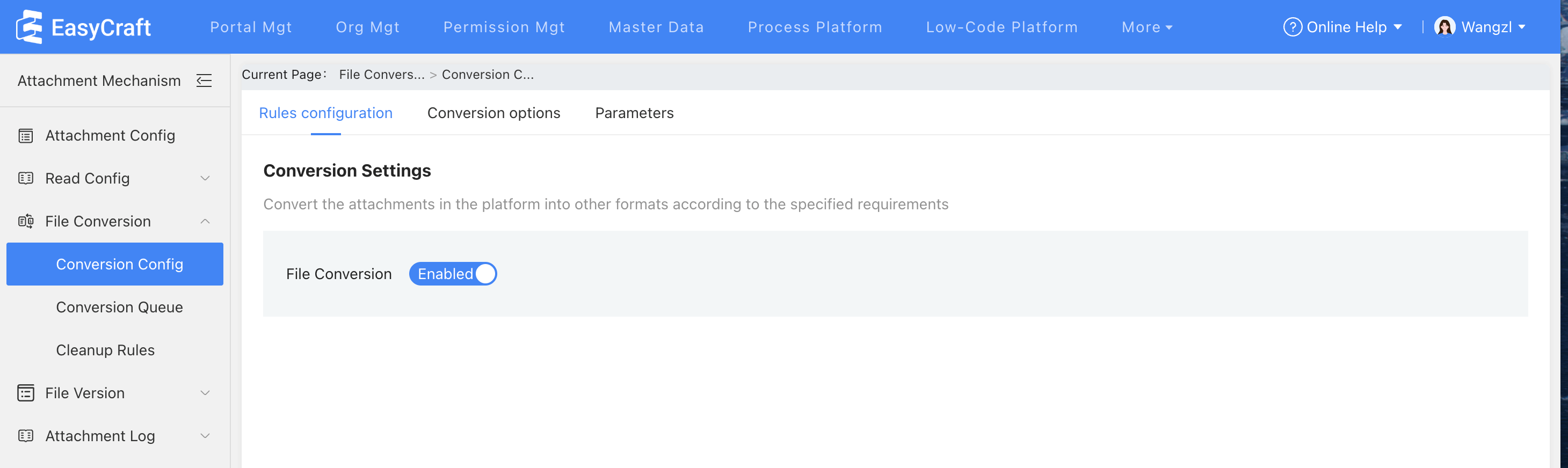
Figure 1.4-2 Conversion Configuration Toggle
- Enable integration capabilities in Conversion Options - Settings.
- Edit and enable conversion rules in Parameters.
Attachment Conversion Scenarios
- The toggle is enabled, and the rule for converting DOCX to PDF is configured, with the Module being Task Management. Create a new task in Task Management and upload an attachment. Click "Save" to complete the task creation. Click to view details.
- Go to the Console - System Mgt - Mechanism - Attachment Mechanism - Attachment Conversion - Conversion Queue - In Progress (or Completed). Data will be generated based on the file conversion status.
- View the created tasks in Task Management, the status of Completed Attachments will be updated.
Attachment Cleanup Rules
After configuring and enabling this rule, previously converted attachments can be cleaned up periodically based on the configured quantity. This function only cleans up the converted attachments and does not affect the original attachments. For example, if an uploaded PPT document is converted to a PDF one, based on the configured retention duration shown as below, the PDF document will be automatically deleted after one month, while the original PPT document is still saved.
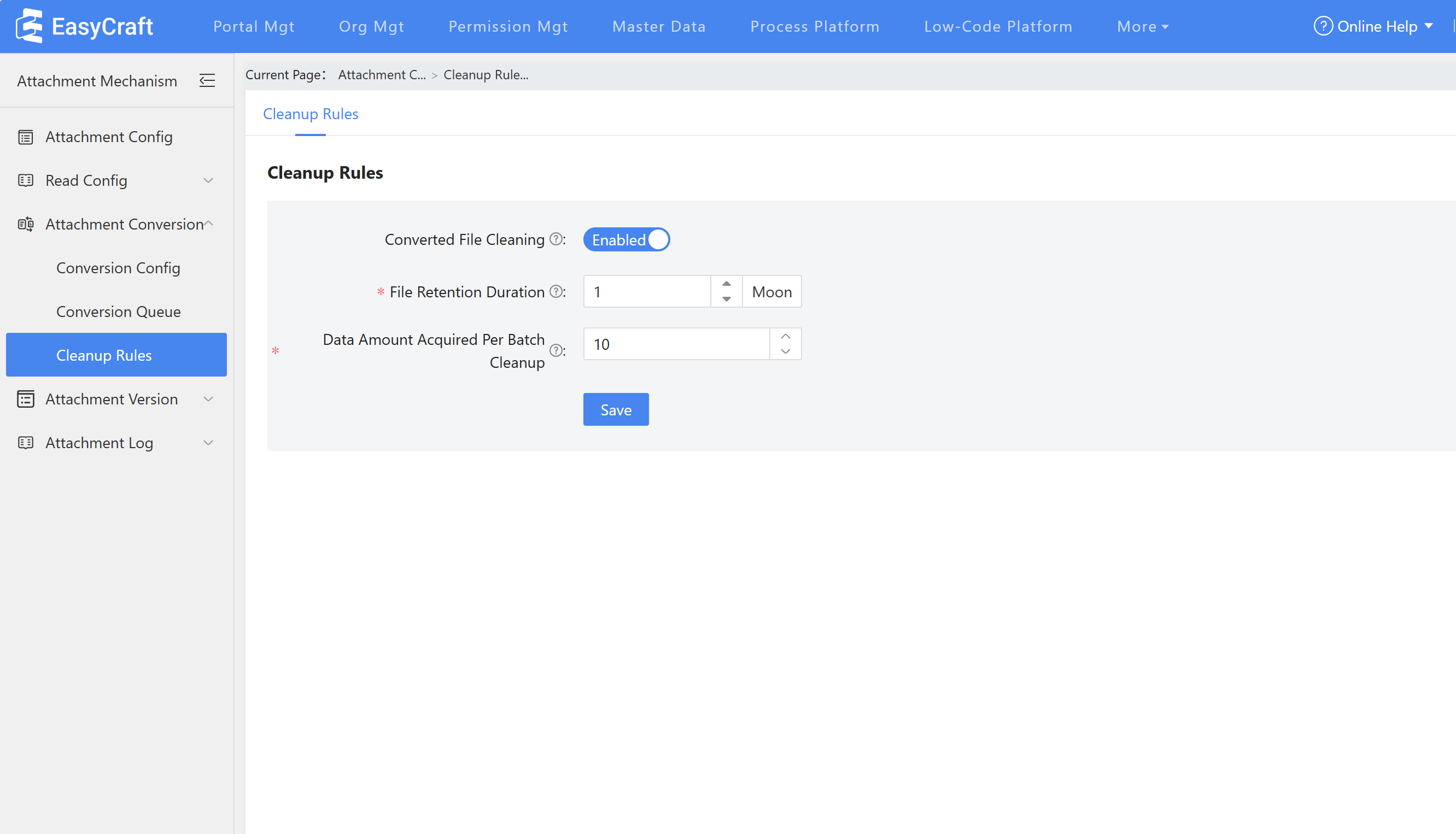
Figure 1.4-3 Cleanup Rules Configuration
Attachment Conversion Tool
Since attachment conversion is implemented by the business module calling the mechanism interface, therefore, the mechanism service does not have the capability to actively perform attachment conversion. However, using the attachment conversion tool enables manual, one-time batch conversion of modules and attachment types of previous attachments. Once click "Execute", attachments uploaded in designated module between configured time duration will be converted based on the currently supported conversion rules.