4.2-my-processes
New Process Initiation
The Initiate Process module provides users with a shortcut to start new processes. This page contains three sections:
- Recently used: Templates you've recently accessed
- All available templates: Complete list of process templates
- Intelligent push: System-recommended templates
Note: Only templates with proper user permissions are visible.
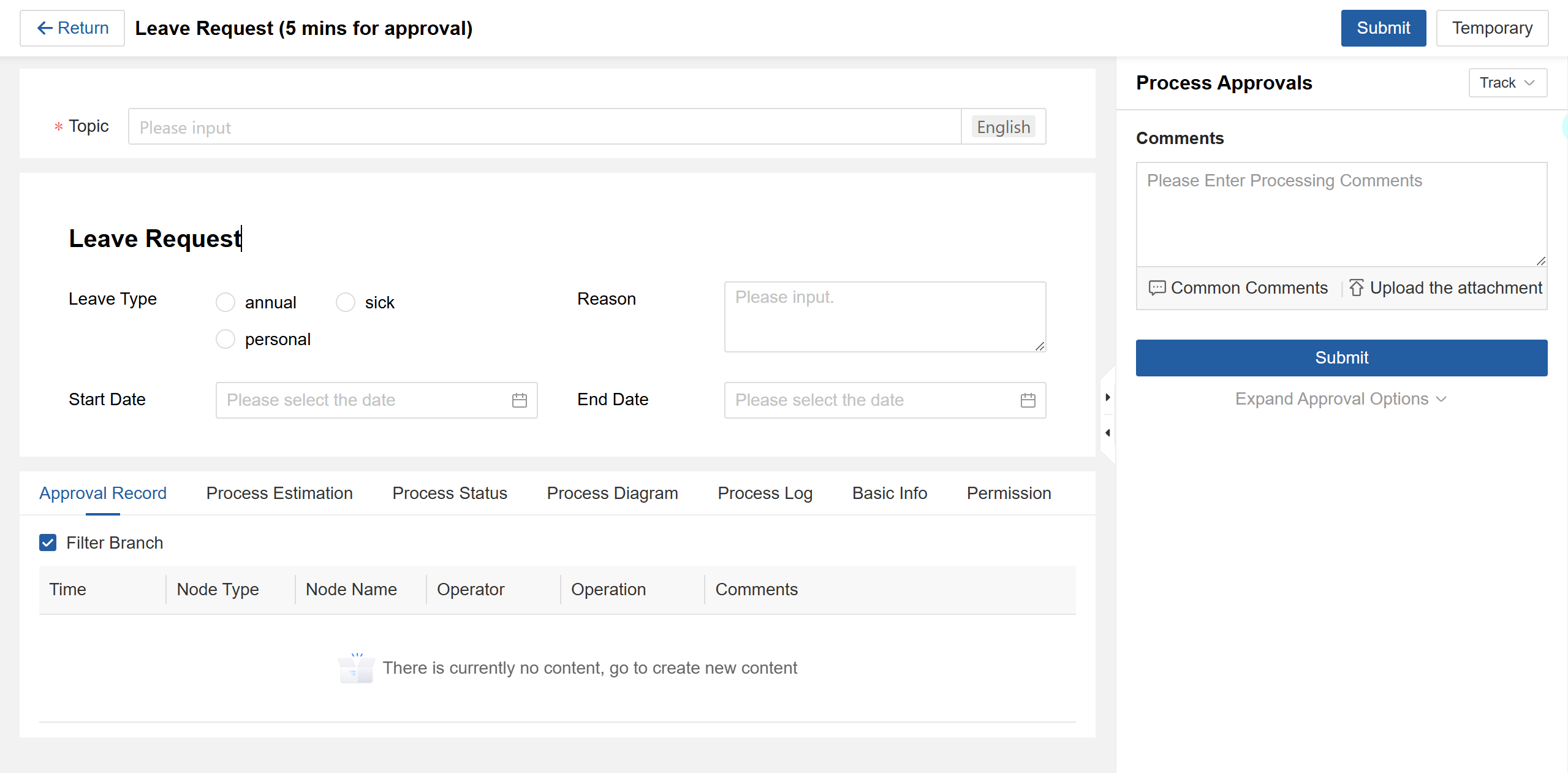
Figure 4.2–1 Initiate a New Process Instance
Process Creation Components
1. Main Form (Center Area)
- Complete all required fields in the approval form
2. Process Panel (Right Side)
- Submitter Identity: Select organizational identity when user has multiple roles
- Approval Comments: Optional field for relevant notes
- Attachments: Upload supporting documents/files
3. Information Tabs (Bottom Area)
| Tab | Description |
|---|---|
| Approval Records | Complete process history |
| Process Forecast | Predicted approval path |
| Process Status | Participant statistics |
| Process Diagram | Visual workflow |
| Process Log | Detailed action log |
| Basic Info | Template details |
| Permissions | Access control settings |
Submission Actions
- Submit: Finalize and send for approval
- Save: Store as draft for later editing (accessible via "My Requests → My Drafts")
Post-Submission Options (Initiator)
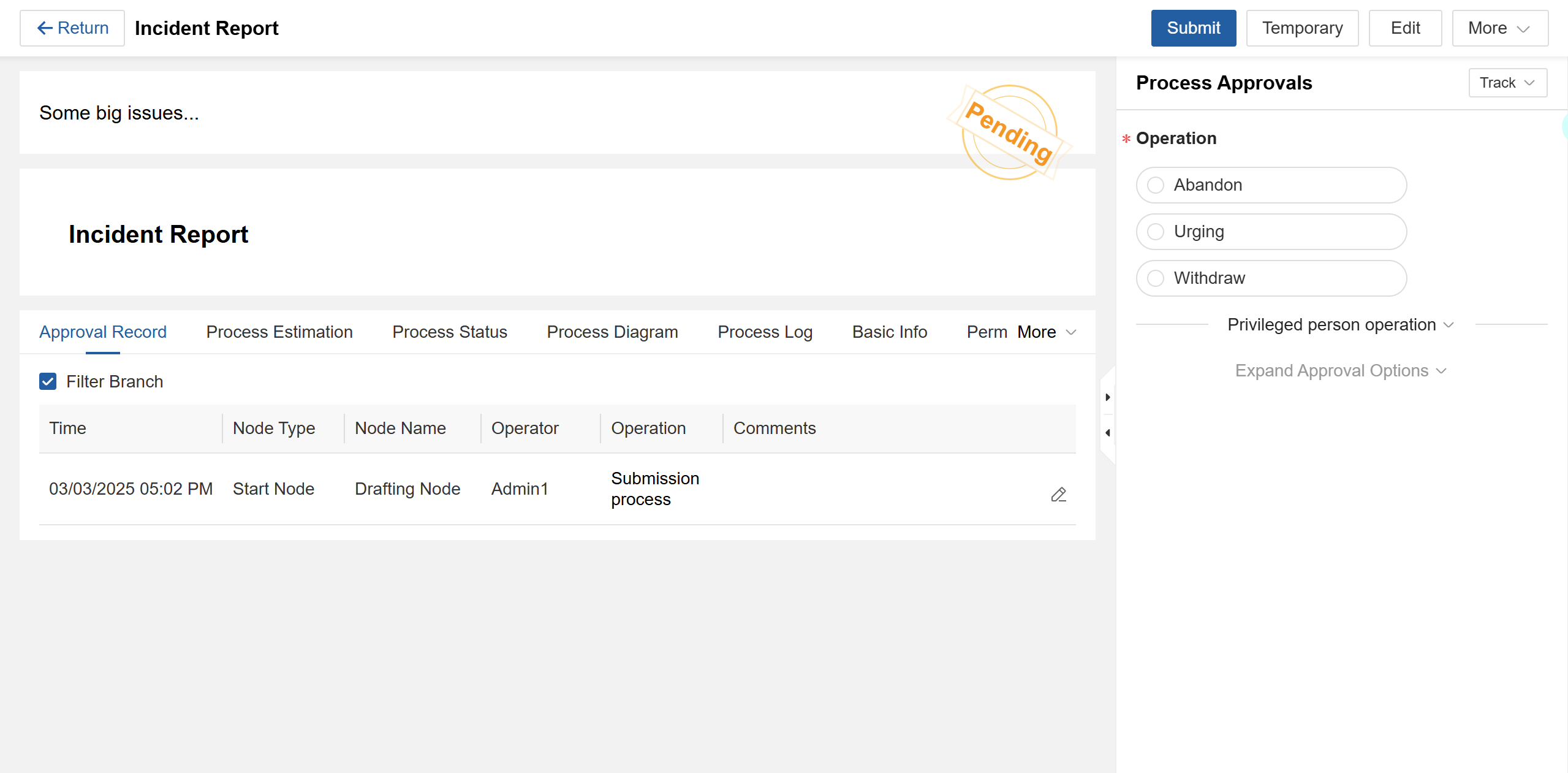
Figure 4.2–2 Post-Submission Page for Initiators
- Withdraw: Recall submission (if not rejected/abandoned)
- Abandon: Terminate process (notifies processed nodes)
- Urge: Send reminder to current handler
- Circulate: Share with relevant personnel
Privileged User Actions
(Available when initiator has privileged access)
| Action | Description |
|---|---|
| Jump | Redirect to specified node |
| Suspend Process | Pause entire workflow |
| Suspend Node | Pause specific node |
| Final Approve | Force completion |
| Directly Abandon | Immediate termination |
| Modify Process | Edit workflow diagram |
| Modify Handler | Reassign approval task |
| Modify Version | Switch template version |
| Generate document copy | |
| Track | Monitor process/node |
Handler Actions (From "To-Do")
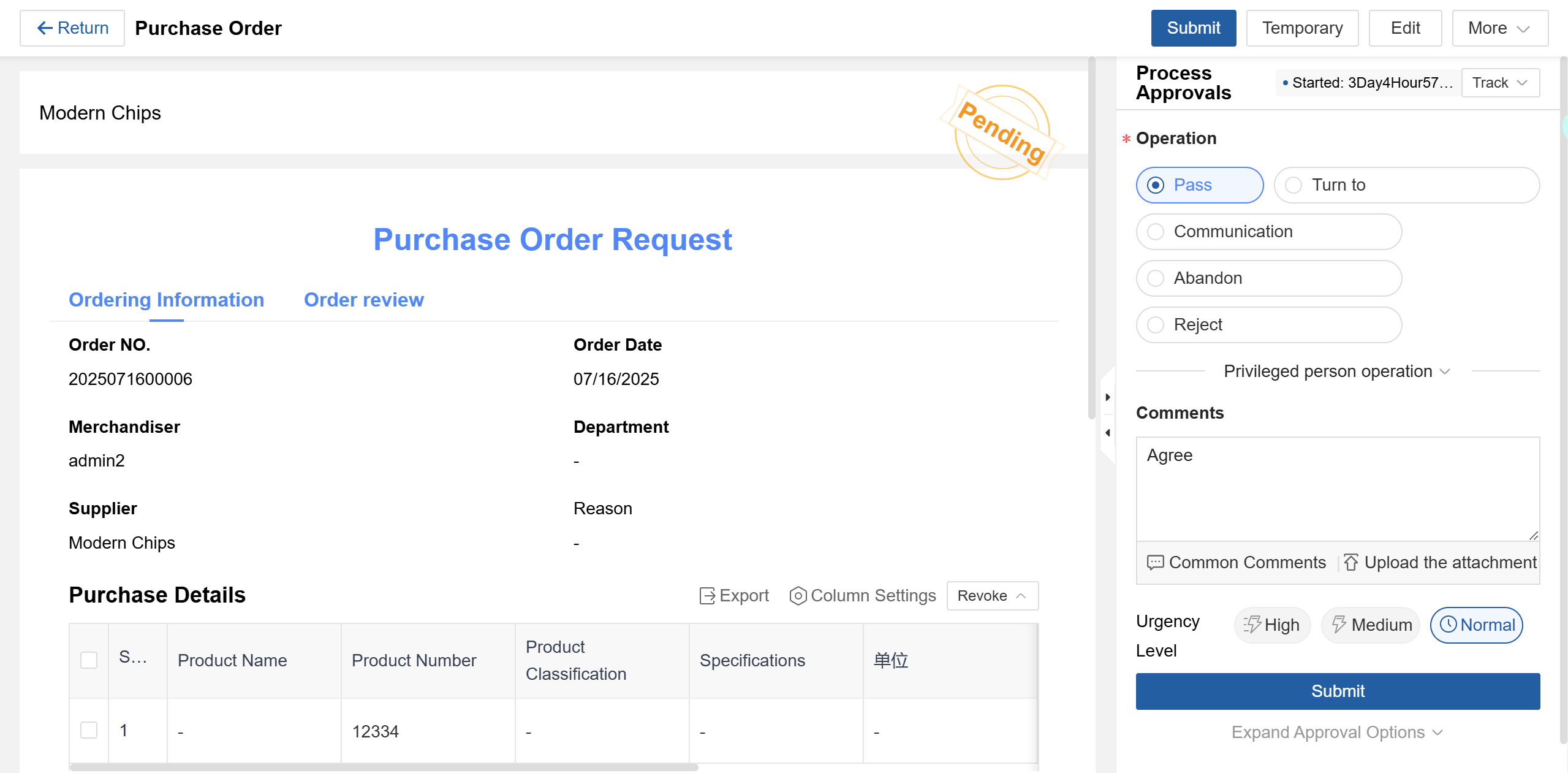
Figure 4.2–3 Handler's Review Page
Approval Options
- Approve: Move to next node
- Transfer: Reassign task
- Communicate: Seek opinions
- Reject: Return to previous node
- Pre/Post-approve: Add approvers
- Distribute: Forward for information
- Suspend/Reactivate: Pause/resume node
- Delay Processing: Request time extension
Historical Actions (From "Completed")
- Withdraw: Retract approval (if next handler hasn't acted)
- Urge: Remind current handler
- Circulate: Share with team