2.1-create-new-process
2.1 Create New Process
Access the Template Management page via "Console – Application Center – Process Mgt – Config."
Click "Create" in the upper-right corner, fill in details such as name and abbreviation, and select the category. The template code and table name can be auto-filled or customized.
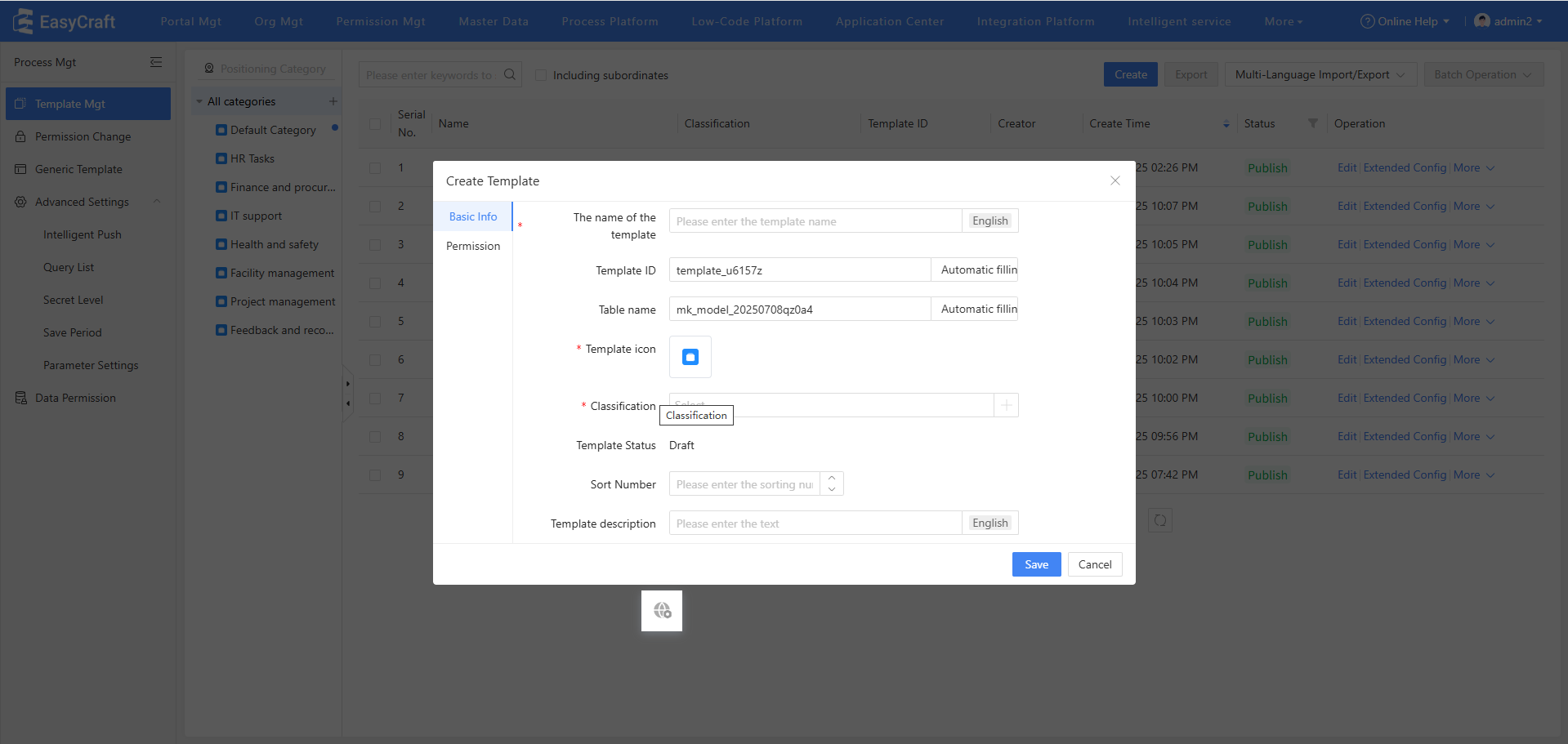
Figure 2.1–1 Create New Process