Completed Tasks Management
4.2.2 Completed
The "Completed" page displays all tasks that the user has processed, organized into five tabs:
Task Status Tabs
| Tab | Description |
|---|---|
| All | Shows all processed tasks regardless of status |
| Pending | Processes still awaiting further approval |
| Rejected | Processes that were ultimately rejected |
| Completed | Successfully finished processes |
| Abandoned | Processes that were terminated early |
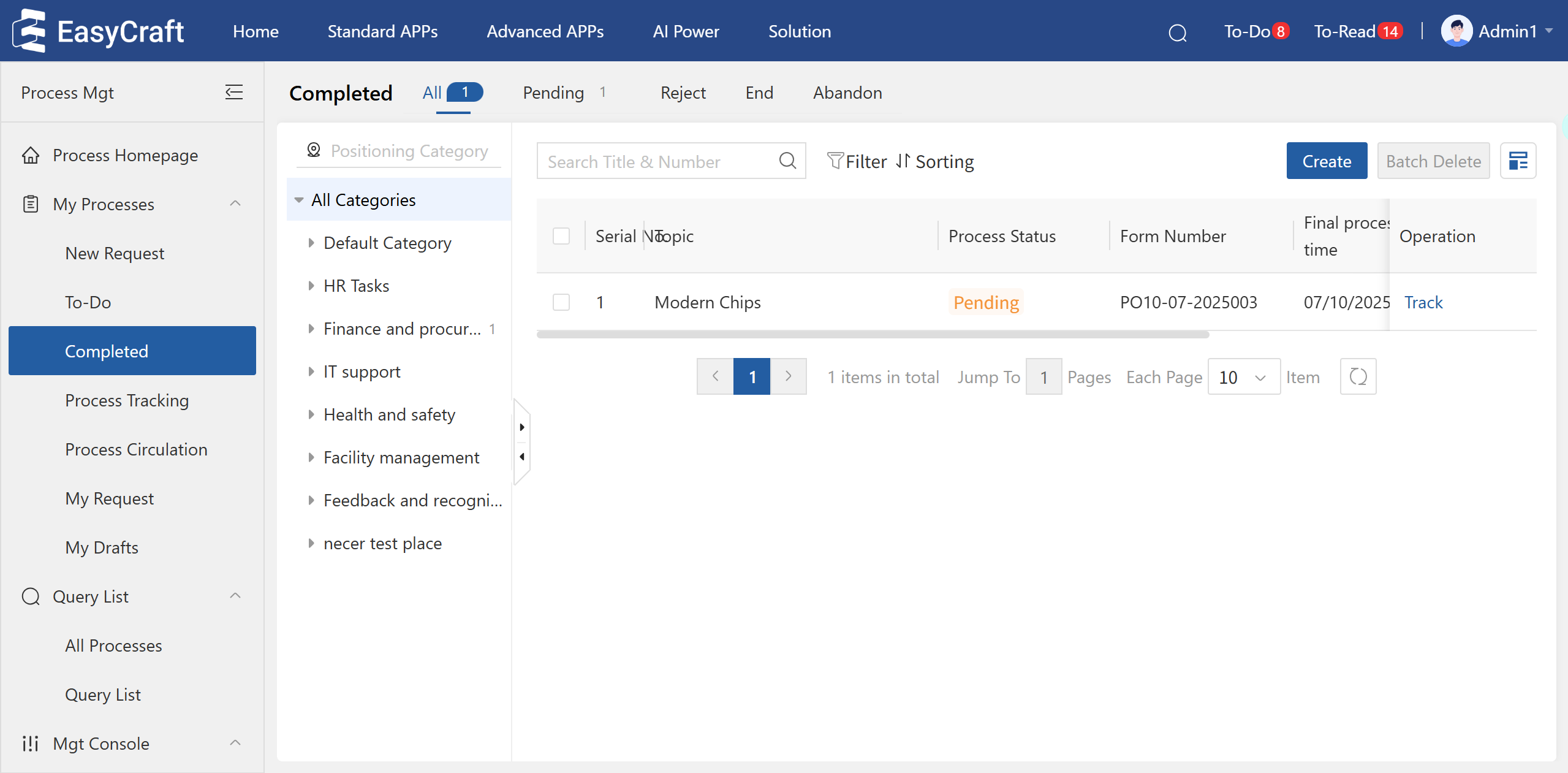
Figure 4.2–5 The "Completed" Page
Key Features
-
Advanced Search:
- Exact and fuzzy search capabilities
- Searchable fields: Process document title and application number
-
Process Management:
- "Create" button for initiating new processes
- Batch delete functionality for multiple records
- Category filters for focused task review
-
View Options:
- Toggle between list and card layouts
- Customizable display preferences
-
Tracking:
- "Track" quick action for pending processes
- Tracked processes appear in "Process Tracking" page
Workflow Tips
- Use the "Pending" tab to monitor processes still in progress
- Apply status filters to quickly locate specific process types
- Utilize card view for visual scanning of completed work
- Track important pending processes for follow-up