4.2.1-to-do
The "To-Do" page displays all tasks requiring user action, organized into three tabs:
Task Categories
- All: Complete list of pending tasks
- Pending: Processes awaiting your approval
- Rejected: Processes you're following with "Rejected" status
Key Features
-
Search Functionality:
- Supports exact and fuzzy searches
- Searchable fields: Process document title and application number
-
Quick Actions:
- One-click Approve/Reject options
- Batch deletion for multiple records
-
Navigation:
- "Create" button for instant new process initiation
- Category filters for focused task management
- View toggle between list and card layouts
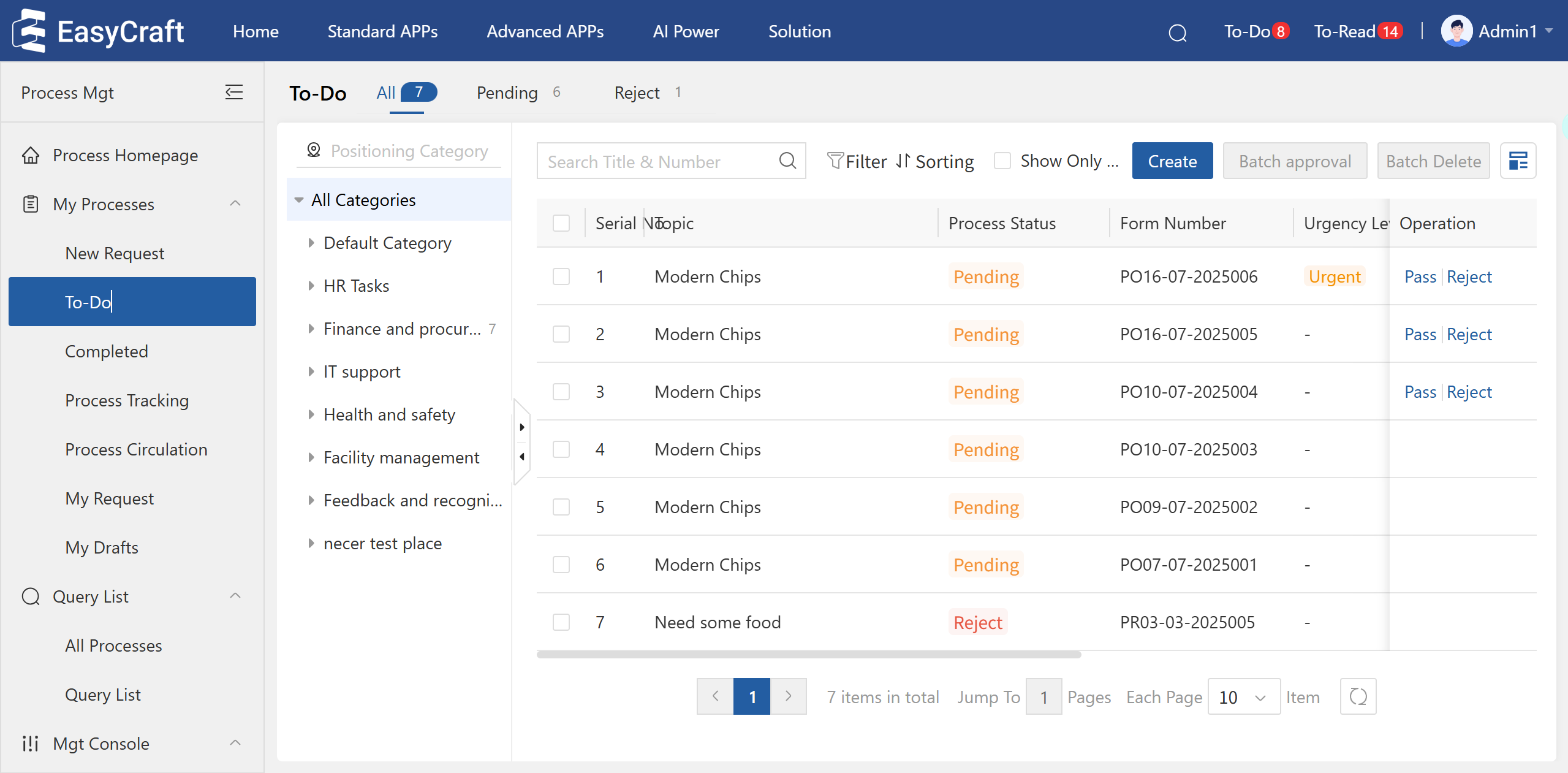
Figure 4.2–4 "To-do" Page
Workflow Tips
- Use the card view for visual scanning of tasks
- Apply filters to focus on specific process categories
- Leverage quick actions for high-volume approval scenarios
- Bookmark frequent searches for rapid access