3.7.7-process-version-management
Process Version Management enables you to review historical versions of process templates. You can edit and publish these historical versions to create new process versions.
- Example Description: For a process template with multiple existing versions, you can access the historical versions from the process page. Clicking "Edit" will open the historical version template immediately published and in use.
- Settings Description:
- Version: A sequential identifier that represents the process version.
- Active Time: The date and time when each template version is published and becomes active.
- Status:
- Draft: The template is temporarily saved and not yet active.
- Active: The template is published and in use.
- Inactive: The template is either manually published at a later time or scheduled for future publication.
- Change Record: You can click "Change Record" to view a detailed history of operations performed on the version, including the operation logs and specific operation details.
- Settings Description:
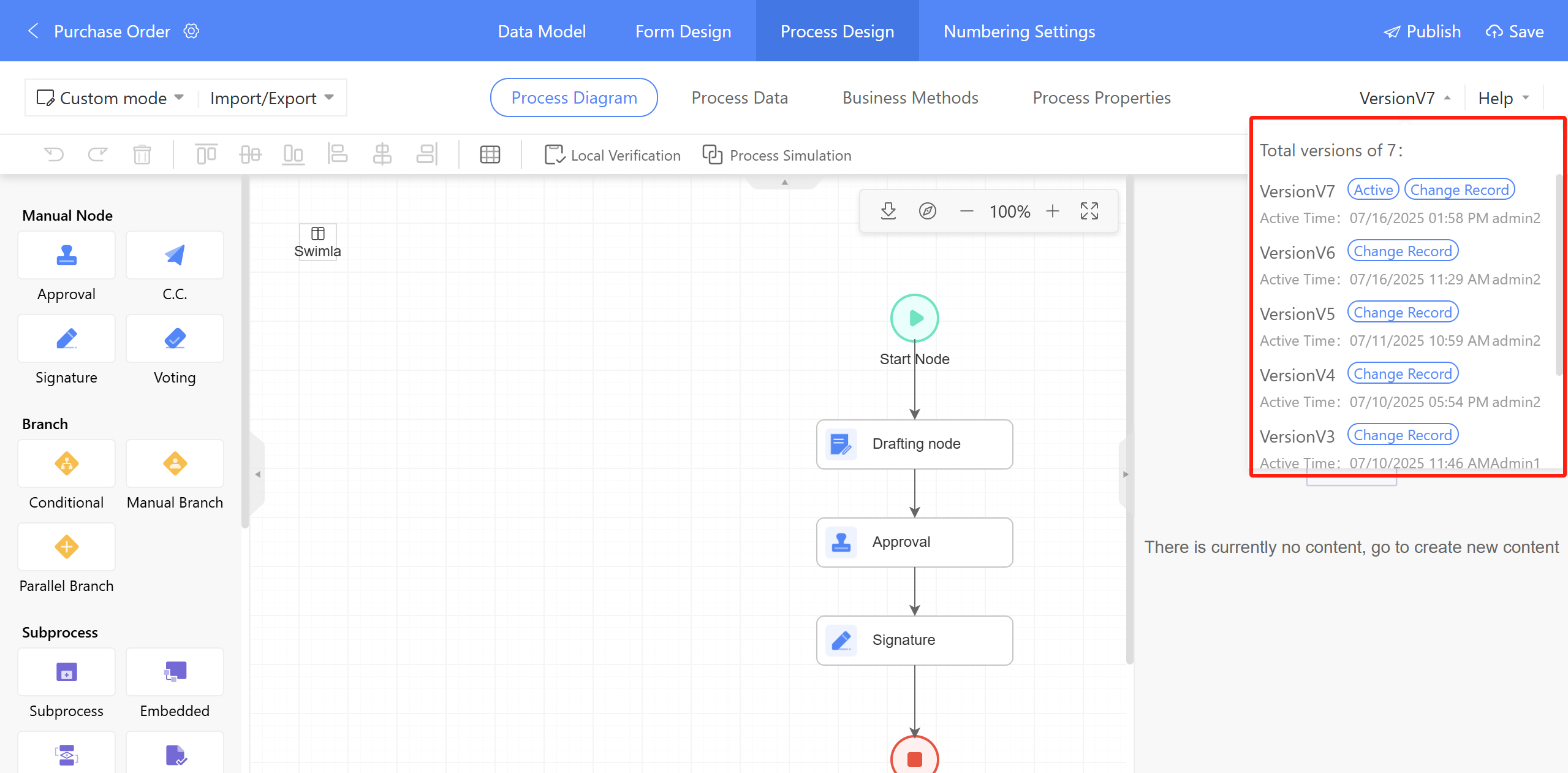
Figure 3.7–25 Process Version Management