4.2.3-process-tracking
4.2.3 Process Tracking
"Process Tracking" displays all tasks the user is currently tracking, divided into "All," "Pending Approval," "Rejected," "Completed," and "Abandoned" tabs.
Tracking Categories
| Tab | Description |
|---|---|
| All | All tracked processes |
| Pending Approval | Processes awaiting action |
| Rejected | Processes that were rejected |
| Completed | Successfully finished processes |
| Abandoned | Terminated processes |
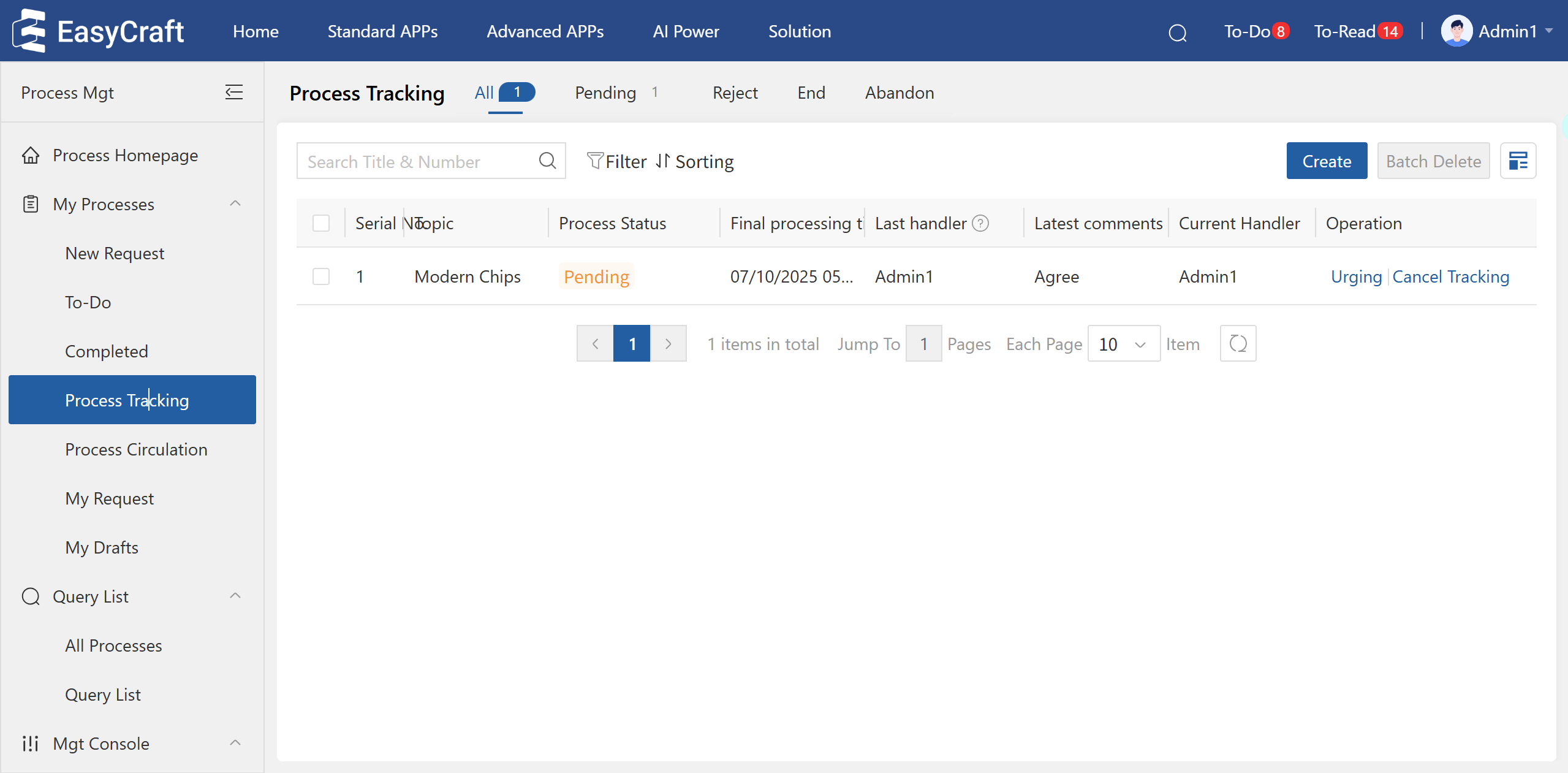
Figure 4.2–6 Process Tracking Page
- Pending: Shows tracked processes with a "Pending" status.
- Rejected: Shows tracked processes with a "Rejected" status.
- Completed: Shows tracked processes with a "Completed" status.
- Abandoned: Shows tracked processes with an "Abandoned" status.
- The search box supports exact and fuzzy searches by process document title and application number.
- The view can be switched to a card layout.
- Quick actions for Urge and Cancel Tracking are available.
- Processes can be tracked from the " Completed" list or from within a process instance itself. a) Track Whole Process: Equivalent to tracking all nodes and being notified upon process completion or abandonion. b) Track Specific Nodes: Choose specific Drafting Nodes, Approval Nodes, Signature Nodes, or Voting Nodes to track. You can also opt to be notified when the process is completed or abandoned. When a tracked node is actioned (e.g., Jacky submits and approves instance A with the comment "Agree"), the tracker receives a notification: "[Process Tracking Update] Instance A: Jacky - Approve "Agree."

Figure 4.2–7 Process Tracking in the Instance